Don't type,
just speak.

Wisprr is a free Windows dictation app that turns your speech into clean text anywhere on your PC. It captures your voice locally, cleans up your grammar, and pastes exactly where your cursor is.

Desktop
Our Mission

We provide a secure, private,and powerful transcription platform

We built Wisprr because your voice data is nobody else's business. You shouldn't have to hand over your personal recordings to a cloud server just to get a good transcript.
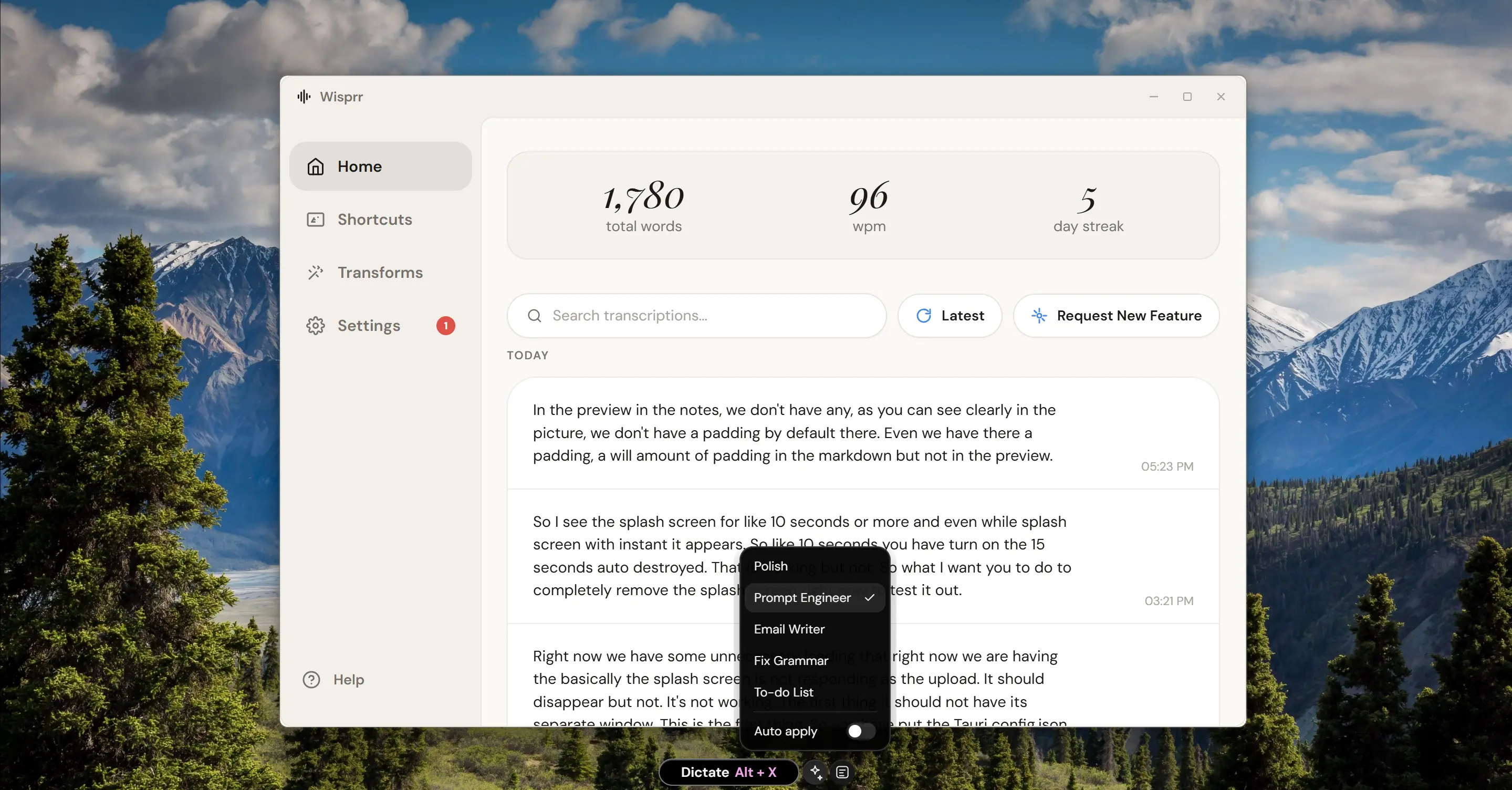
Wisprr Transcription
Transcription

AI-Powered Accuracy

Powered by Groq's Whisper large-v3-turbo model for lightning-fast, highly accurate transcriptions. Get your text in seconds, not minutes, with industry-leading speech recognition.
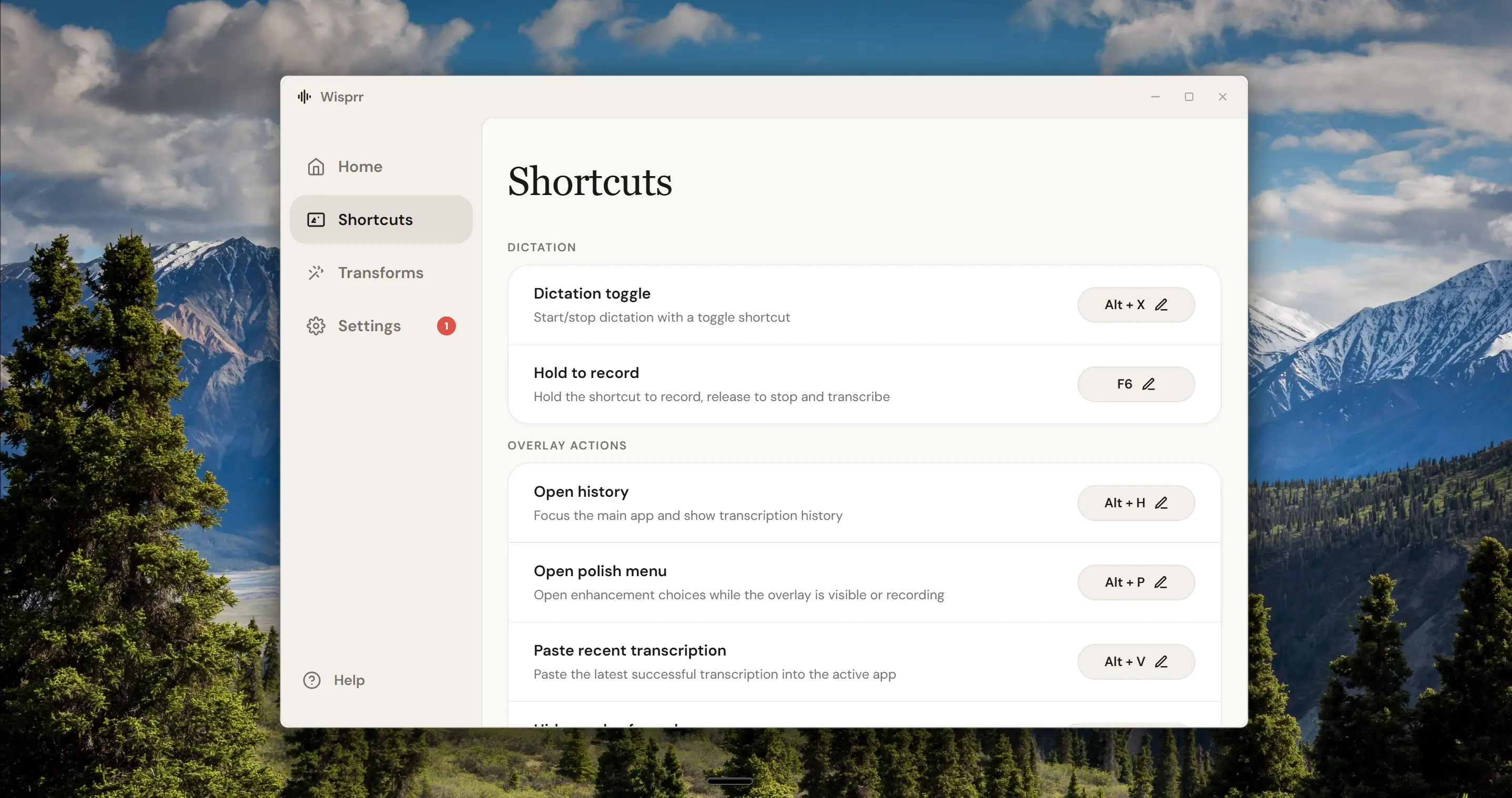
Wisprr Floating Overlay
Productivity

Seamless Workflow

Transcriptions auto-copy to your clipboard and can be pasted directly into any focused text field. From recording to usable text in seconds — no switching apps, no manual copying.

What we offer

A fast, private dictation toolthat stays out of your way

Draft emails, write documents, and send messages instantly. No cloud storage, no subscriptions, no tracking.

Capture conversations, lectures, and meetings instantly. No cloud storage, no subscriptions, no tracking.

Floating Dictation

Dictate from anywhere with a draggable floating overlay. Works over any app — emails, browsers, documents.

AI Transcription

Powered by Groq Whisper large-v3-turbo for lightning-fast, highly accurate speech-to-text conversion.

Auto-Copy to Clipboard

Transcriptions automatically copy to your clipboard. Paste anywhere with a single tap.

Accessibility Paste

Auto-paste transcriptions directly into any focused text field using Android's accessibility service.

Privacy First

Your dictations and transcriptions stay on your device. No cloud storage, no data collection, no tracking.

History Library

Browse, search, and manage all your past dictations and transcriptions in one organized library.

Biometric Lock

Protect your sensitive dictations with PIN or biometric authentication.

Multi-Language

Transcribe in 100+ languages with automatic language detection. Perfect for international meetings.

FAQs

Frequently asked questions

Everything you need to know about Wisprr — the private, AI-powered dictation tool and transcriber.

01What exactly is Wisprr?
Wisprr is a free, privacy-first dictation and transcription app for Windows. It runs as a small floating overlay on your desktop. You hit a shortcut, speak, and Wisprr transcribes your audio using Groq's Whisper API. It then auto-pastes the text right into whatever app you have open.
02Is Wisprr really free? What's the catch?
Yes, the app itself is 100% free. There are no paid tiers or subscriptions. The only 'catch' is that you need to provide your own Groq API key to handle the transcription. Groq gives you generous free API access, so for most people, the entire workflow costs absolutely nothing.
03How does the floating overlay work?
It's designed to stay out of your way. When you aren't using it, it's just a small pill on your screen. When you need it, you can click it (or use a keyboard shortcut) to start dictating. You don't have to open a big, clunky window just to dictate an email.
04What AI model does Wisprr use?
It uses Groq's Whisper large-v3-turbo model. Because it runs on Groq's specialized LPU hardware, the transcription comes back in seconds instead of minutes. It supports over 100 languages and handles accents beautifully.
05Do you keep my voice dictations?
No. We don't even have servers to store them on. Your audio dictates locally on your PC, travels directly to Groq over HTTPS, gets transcribed, and is immediately deleted. Your transcriptions are saved on your own hard drive.
06What are AI Transforms?
Sometimes you don't just want a raw transcript of what you said. Transforms let you clean up the text automatically. You can tell Wisprr to 'Polish' your phrasing, 'Fix Grammar', or turn your rambling into a clean bulleted list before it pastes.
07What is Wisprr Notes?
If you're drafting something long, like a blog post or meeting notes, you can dictate directly into Wisprr's built-in Notes window (Alt+N). It keeps a version history, so every time you run an AI transform, it saves a new copy. You can always go back to your original words.
08Can I use it offline?
You can capture audio while offline, but the actual transcription requires an internet connection because it pings Groq's API. Your dictations will stay on your computer until you connect and transcribe them.
09Does Wisprr work on Mac or Linux?
Not right now. Wisprr is a native Windows application built specifically for Windows 10 and 11.
10Can I dictate into any app?
Yes. As long as your cursor is in a text field—like Chrome, Word, Slack, or VS Code—Wisprr will type out your transcription right there.

What Our Users Say

View All Reviews

"Before Wisprr, I had to manually type up meeting notes. Now I just record with the floating overlay and the transcription appears in my clipboard. Absolute game-changer for my workflow."

J
James K.
Product Manager

"The floating recorder is genius. I can record lectures without leaving my notes app, and the transcription accuracy is incredible. Best voice tool I've ever used."

M
Maria L.
Graduate Student

"I love how private this app is. My recordings stay on my device, and the transcription is fast and accurate. No cloud storage, no data collection — exactly what I wanted."
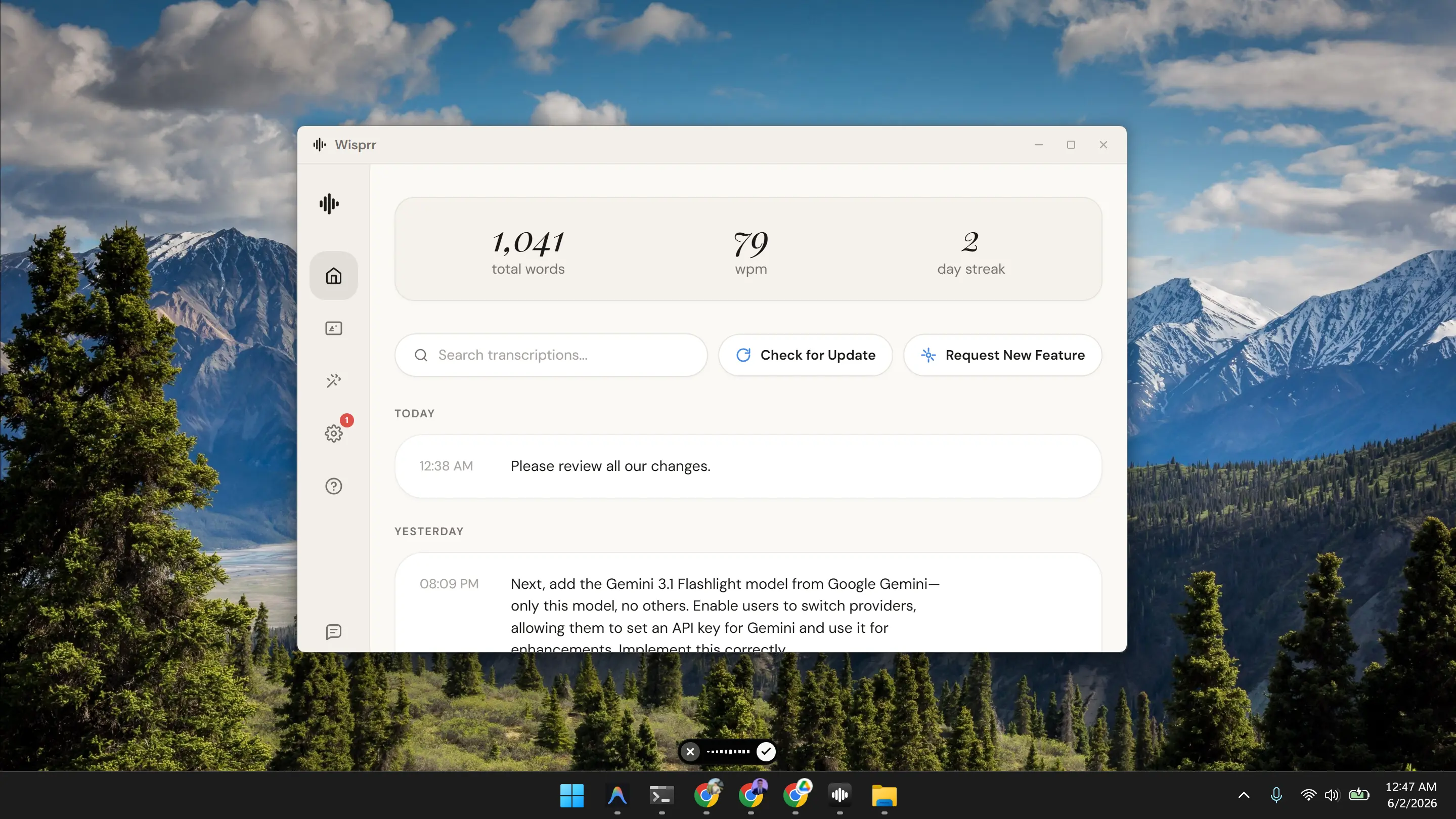
T
Thomas R.
Journalist

Latest Voice & AI Insights

View All Articles
W
Wisprr

The privacy-first voice dictation tool and AI transcriber. Fast, accurate, and always on your device.

Stay Updated

Join our newsletter to get the latest features and updates.

© 2026 Wisprr. All rights reserved.